GenSpicy AI
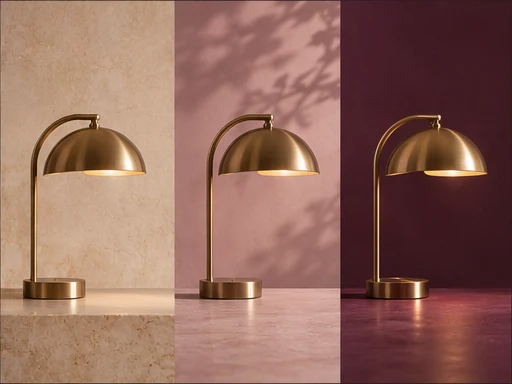
A brass desk lamp shown against three different studio backgrounds

Edit and combine your photos with Nano Banana 2.1

Upload one or more images, then tell Nano Banana 2.1 what to change in one clear instruction: replace the background, change the season, place a product into a new room. Choose this mode when the original subject has to stay recognizable after the edit.

What it is best for

Instruction edits on existing photos: background replacement, relighting, color changes, removing clutter, turning a daytime scene into dusk. It can also combine several inputs, such as a product shot and a room photo, into one image. GenSpicy AI accepts up to 10 reference images per request.

How to write the brief

Start with the action, then the target, then what must stay the same: "Replace the background with...", "Change the jacket color to...", "Place the bottle from the first image on the table in the second image". When you upload several images, refer to them by order so the model knows which is which. One or two edits per run give cleaner results than a long list; chain further edits on the new output.

Recommended settings and why

Aspect ratio: this mode has no default, so leave it unset when the source framing already works and pick one only when you need a new crop, such as 9:16 for a story made from a landscape photo. Resolution: 1k to try the edit, 2k for most delivery, 4k when the result will be printed or viewed large. Output format: PNG when you plan more edit passes, so each pass starts from a lossless file.

When to choose another model

If you have no source photo yet, start with Nano Banana 2.1 text to image. To restyle a set of references into one detailed new design, compare Seedream 4.5 image to image. To turn the edited still into motion, send it to HappyHorse 1.1 image to video. Only upload photos you own or have permission to edit.

Worked example

Prompt

Place the ceramic mug from the first image on the oak table in the second image, next to the window. Keep the mug’s shape, glaze color and handle exactly as in the photo. Match the soft morning light coming from the window and add a gentle shadow under the mug.

Settings

Reference images
2 (mug product photo, kitchen table photo)
Aspect ratio
4:5
Resolution
2k
Output format
PNG

If the mug changes shape, cut the prompt down to the placement instruction, rerun, and add the lighting change in a second pass.

Try this model