

GenSpicy
A dancer in a flowing ivory dress traces a ribbon through a softly lit theatre.
Original concept illustration

Kling 4.0 Image to Video With Keyframes

Bring a still image to life without redrawing your starting composition from scratch. Upload the first frame, then describe what moves. You can add a last frame and up to eight intermediate keyframes. Keep the same subject and lighting across those frames; changes that are too large can make the transition harder to follow.

Kling 4.0 · 18+ · Image to Video

Kling specifications

Published model settings · checked 2026-10-23.
ModelWorkflowInputsLast frameDuration (s)ResolutionAspect ratioAudio toggle
Kling 4.0Image to videoSource image, Last frame (optional), Intermediate keyframes (optional)Last frame: Yes3 / 4 / 5 / 6 / 7 / 8 / 9 / 10 / 11 / 12 / 13 / 14 / 15 / 16 / 17 / 18 / 19 / 20 / 21 / 22 / 23 / 24 / 25 / 26 / 27 / 28 / 29 / 30720p / 1080p16:9 / 9:16 / 1:1 / 21:9Audio toggle: Yes

Plan the frames before you upload

The first frame is required and becomes the opening shot. Everything after it is optional: a last frame tells the clip where to land, and intermediate keyframes mark points along the way. Up to ten frames can be used in total, which means one first frame, one last frame and as many as eight in between.

Keyframes work best as stages of one continuous moment, such as a person standing, turning and then sitting in the same room. Order matters, because the model moves through them in sequence. When neighbouring frames differ in outfit, location or lighting, the model has to invent a jump between them, and that is usually where a result looks unstable.

  • Use images you created or have permission to use, showing adults only.
  • Keep the camera angle similar across frames unless the prompt describes a move.
  • Spend the prompt on motion and sound; the frames already show appearance.
A cinema camera on a curved track beside moving silk illustrates camera and subject motion.
Original concept illustration

Aspect ratio follows your image by default

If you leave the aspect ratio unset, the output keeps the shape of your first frame, which avoids unwanted cropping. You can also choose 16:9, 9:16, 1:1 or 21:9 when the clip is meant for a particular screen. Duration runs from 3 to 30 seconds and resolution is 720p or 1080p. With several keyframes, allow enough time for each change to happen naturally.

Uploads and the quote

Sign in before uploading, because frames are attached to your account so the task can use them. The form then shows the Peppers needed for your chosen length and resolution. The quote follows the current settings, so read it again after changing either one. Submitting reserves that amount; it is charged when the clip is saved and released if the task is confirmed as failed or timed out.

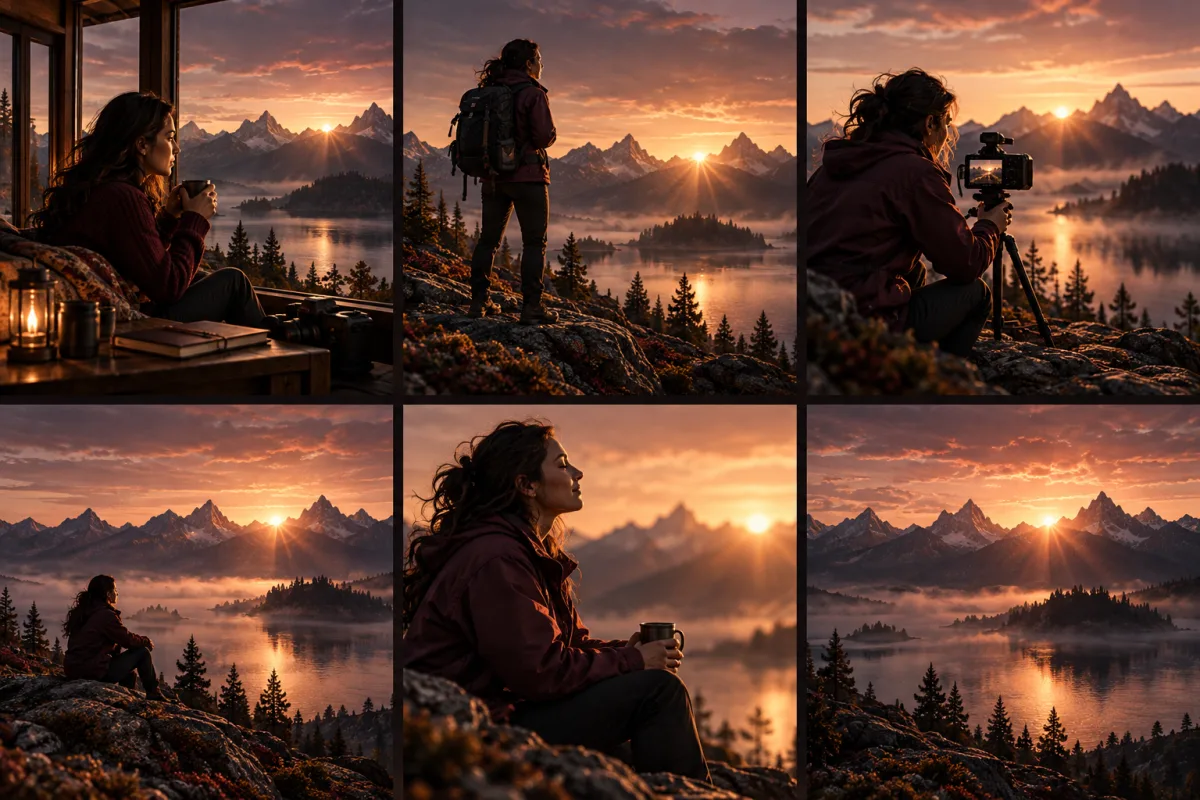
A sequence of shots keeps the same mountain lake and sunrise as its visual setting.
Original concept illustration

Questions

Can I set both the first and last frame in Kling 4.0?
Yes. The first frame is required and the last frame is optional. You can also add up to eight intermediate keyframes, for no more than ten frames in total.
Can Kling 4.0 make porn or NSFW videos?
Porn and NSFW are search terms, not a promise of content acceptance. Kling 4.0 is not labelled Spicy here. The selected model and its provider may decline adult requests. Use only consenting adults and material you have rights to use; the content policy applies. If an appropriate request fails, compare another model in the same tool before starting again.
When do I see the Peppers required?
The form shows the quote before submission. Length, resolution and source videos can change it. Sign in and upload the required media for an exact quote; an initial preview is not a final charge. Keep the task reference if you need support.

Pricing

Pepper packs

Peppers are GenSpicy generation credits. Buy once and use them across supported models. The form shows the cost of each generation before you submit.

Glow

$24.90usd

2,000 Peppers

PER 1,000 PEPPERS

$12.45

The smallest one-time pack. Start with 2,000 Peppers.

See payment options

Most popular

Velvet

$49.90usd

8,000 Peppers

PER 1,000 PEPPERS

$6.24

≈50% less

4× Glow’s Peppers for $25 more.

See payment options

Best value

Midnight

$99.90usd

23,000 Peppers

PER 1,000 PEPPERS

$4.34

≈65% less

Lowest price per Pepper.

See payment options

Unit-cost savings compared with Glow, before bonus Peppers. One-time payment. No subscription. For adults 18+ only.