Choose a camera angle
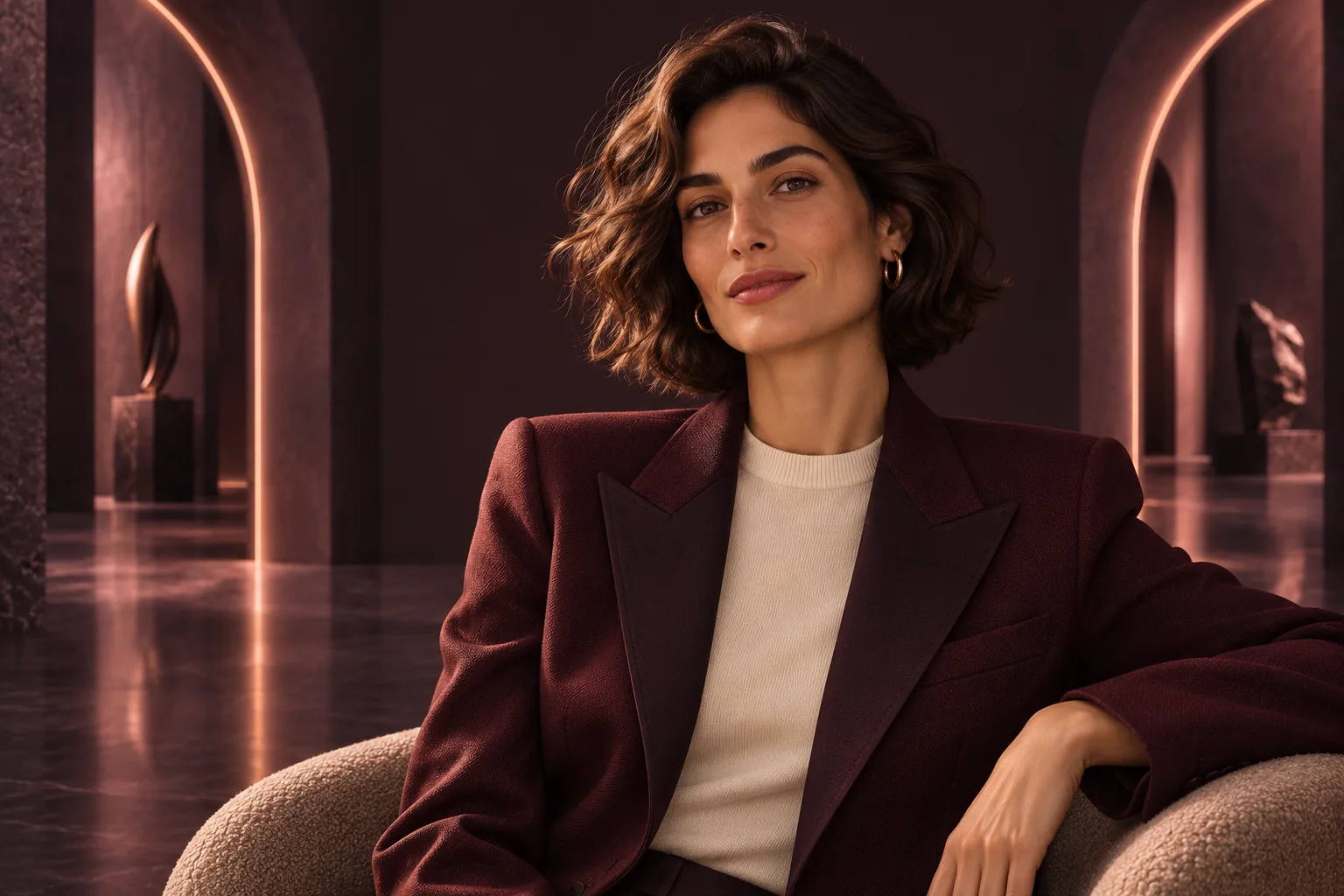
A head-and-shoulders photo and a waist-up fashion photograph tell different stories. The first gives a neckline space near the face, while the second shows the fit of the chest and shoulders and the way a jacket hangs. Set the crop before listing fabrics. For a waist-up portrait, leave a small margin above the head and enough room on both sides to keep the shoulder seams visible.
Describe the details you want to keep
Name the clothing layers in the order they are worn. A plum blazer over a white crew-neck top gives the model two distinct edges: the lapels and the neckline. If the top is dark, choose a background with enough separation for the shoulder line. Soft light from one side gives a little volume to the cloth across the chest without turning every seam and fold into a dark stripe. Specify the opening and front closure if they are a key part of the design.
What to check in the result
Follow the collar from one shoulder to the other. A cut edge should meet the same garment on both sides, buttons should sit along their placket, and layered fabrics should overlap consistently. If the upper torso looks too wide or too narrow, request a straight-on or slightly turned waist-up view and repeat it before changing the clothes. A design with deliberately uneven lapels can work, but describe that choice so it is clear which side the model should render differently.
A starting prompt
Waist-up editorial portrait of an adult wearing a plum blazer over an opaque white crew-neck shirt, a gentle turn toward the camera, both shoulder seams visible, tidy lapels and centered closure, soft side light, neutral cool-grey studio background.
Change one detail at a time
Try a second picture with the same blazer and lighting but a different inner collar, such as a mock neck in place of a crew neck. Keep the crop and shoulder angle the same. Check whether the extra line at the neck changes where your eye goes, and whether the collar still fits naturally under the blazer. Keep the camera and light consistent when you want to compare two designs.
Questions
- Can I use a reference image?
- Yes, when you switch to a model that accepts an image input. Use an image you have permission to use. For photos of people, use your own photo or one of a consenting adult whose age is clear. A reference can guide a pose or garment shape, but the result can still vary.